Background
So far we have:
-
Created a study with at least one stage
-
Created Participant IDs
-
Distributed these IDs to participants
-
Had participants provide consent and get onboarded onto the web or smartphone app.
Next we can start receiving data. But before that, you probably have a lot of questions about this...
-
What happens if participants are staggered? For example, if day 0 is different for every participant?
-
What happens if they have completed one stage already? Can they fill it in again?
-
What happens if the stage is recurring / repeating? How will they know what to fill in and when?
-
What happens if the stage is ad-hoc for unlimited numbers of submissions?
-
What happens with internal stages we don't want participants to see or enter data for?
-
Lots more...!
Well, thankfully none of these items are a problem when using Trialflare!
What do Participants see on the web/smartphone app?
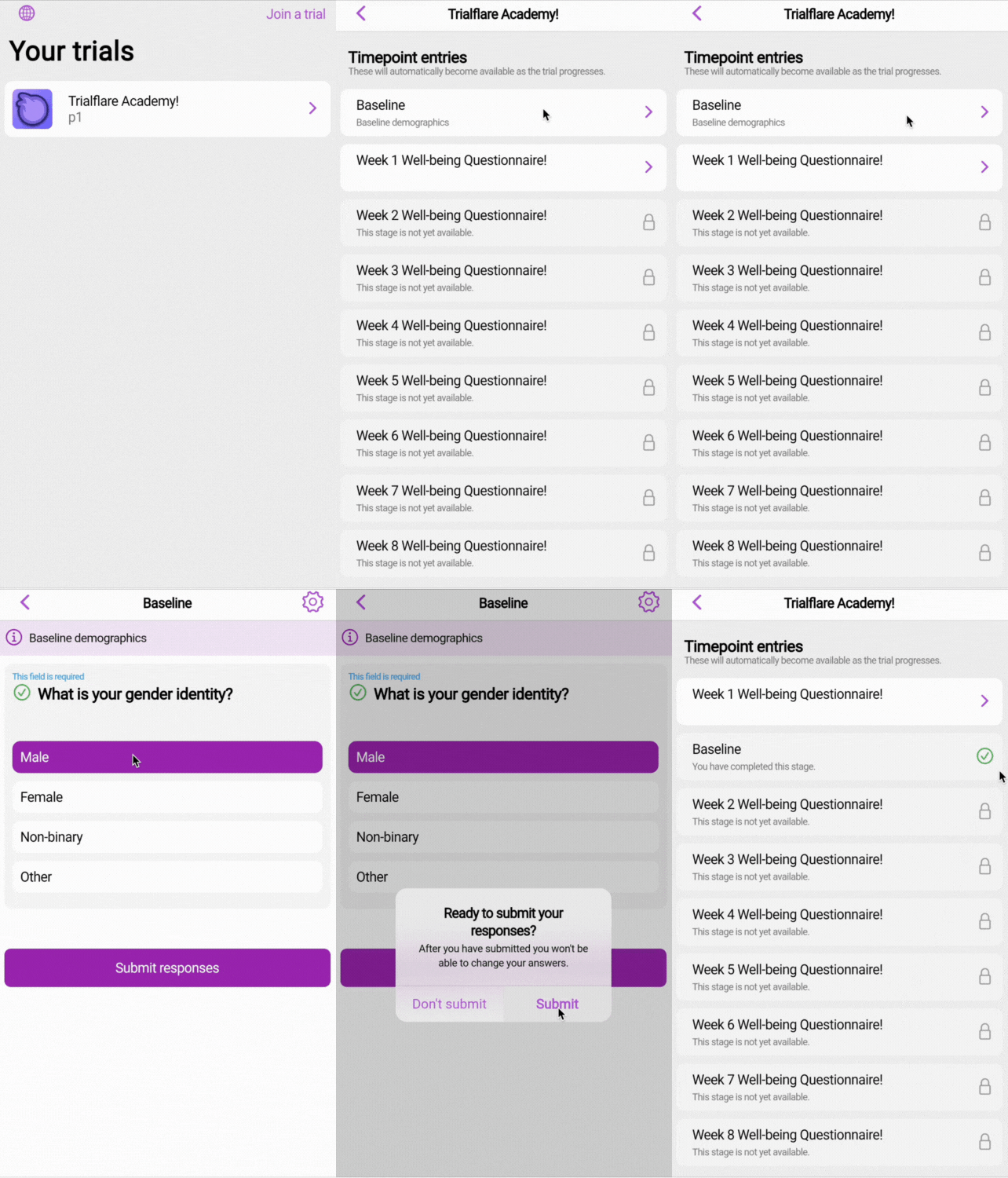
When the participant logs in, they will see all stages they are able to fill in - whether this is now, or in the future! You will notice that there is a padlock next to stages which cannot be completed yet. Why might they be padlocked? If they represent a recurrence in the future which has not arrived yet, for example, a "Week 2" submission of a questionnaire when they have not begun "Week 1" yet.
💡 IMPORTANT: There are lots of options to finesse and tweak your data collection strategy in the Stage Settings when you are designing the Stage.
Learn more about advanced stage design here!
🧑🏻💻 One-off submissions by participants
In the example below, a very basic "Baseline" stage asks for "gender identity". Once this is complete, the stage is ticked-off with a green tick. The data will be received to your administrator view on the web and the participant will not be able to enter this data again.
🧑🏻💻 Recurring submissions by participants
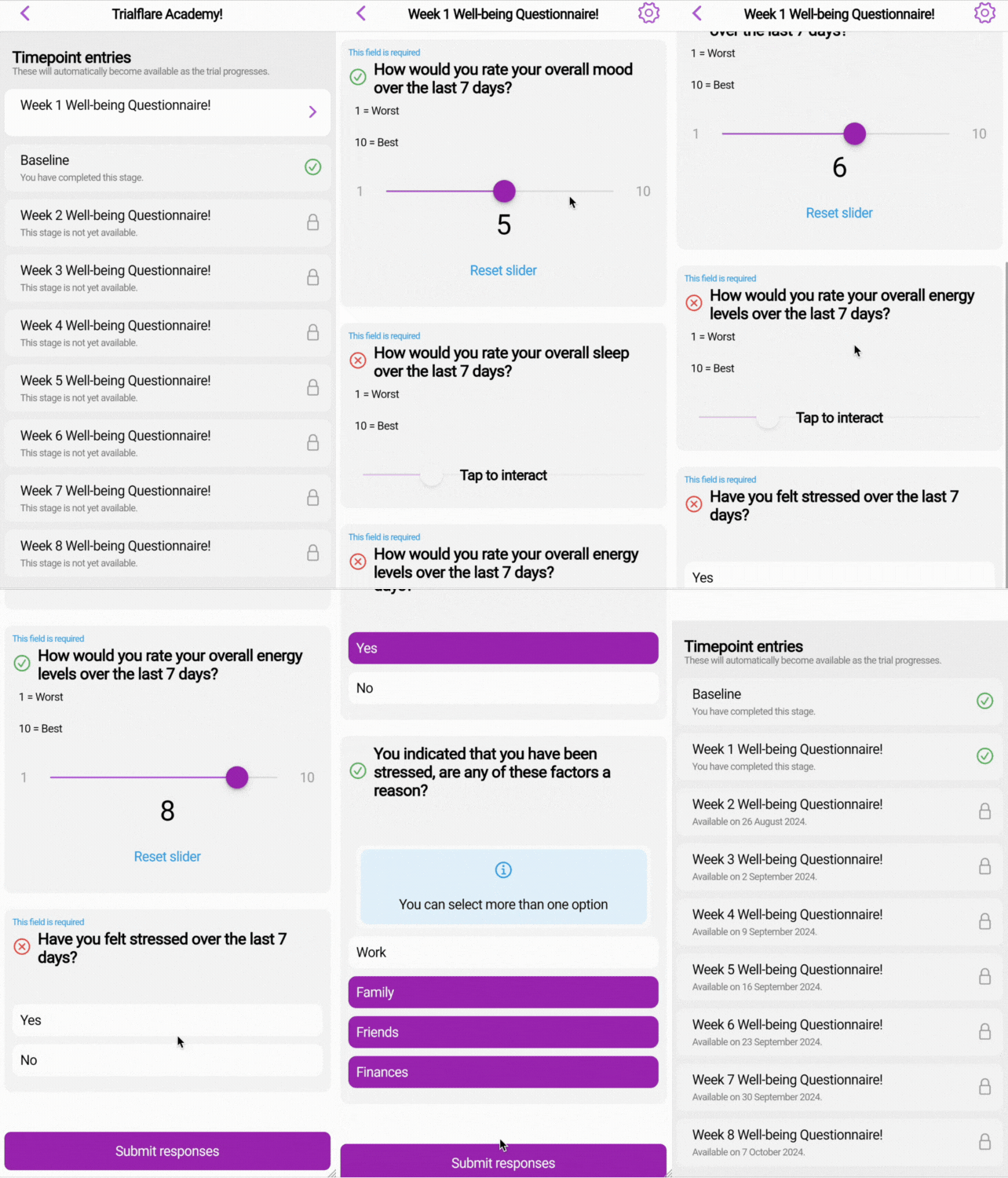
In the example below, a "Week 1" questionnaire is completed. We can control the way this stage repeats in the administrator view. Crucially, you'll notice that only "Week 1" can be entered! Are your participants staggered? No problem. Each participant can set their own start-line. Once the first recurrence is submitted, you'll notice that the following ones will all be mapped-out by Trialflare, enabling them to be completed on the date that they are due!
🧑🏻💻 Ad-hoc submissions by participants
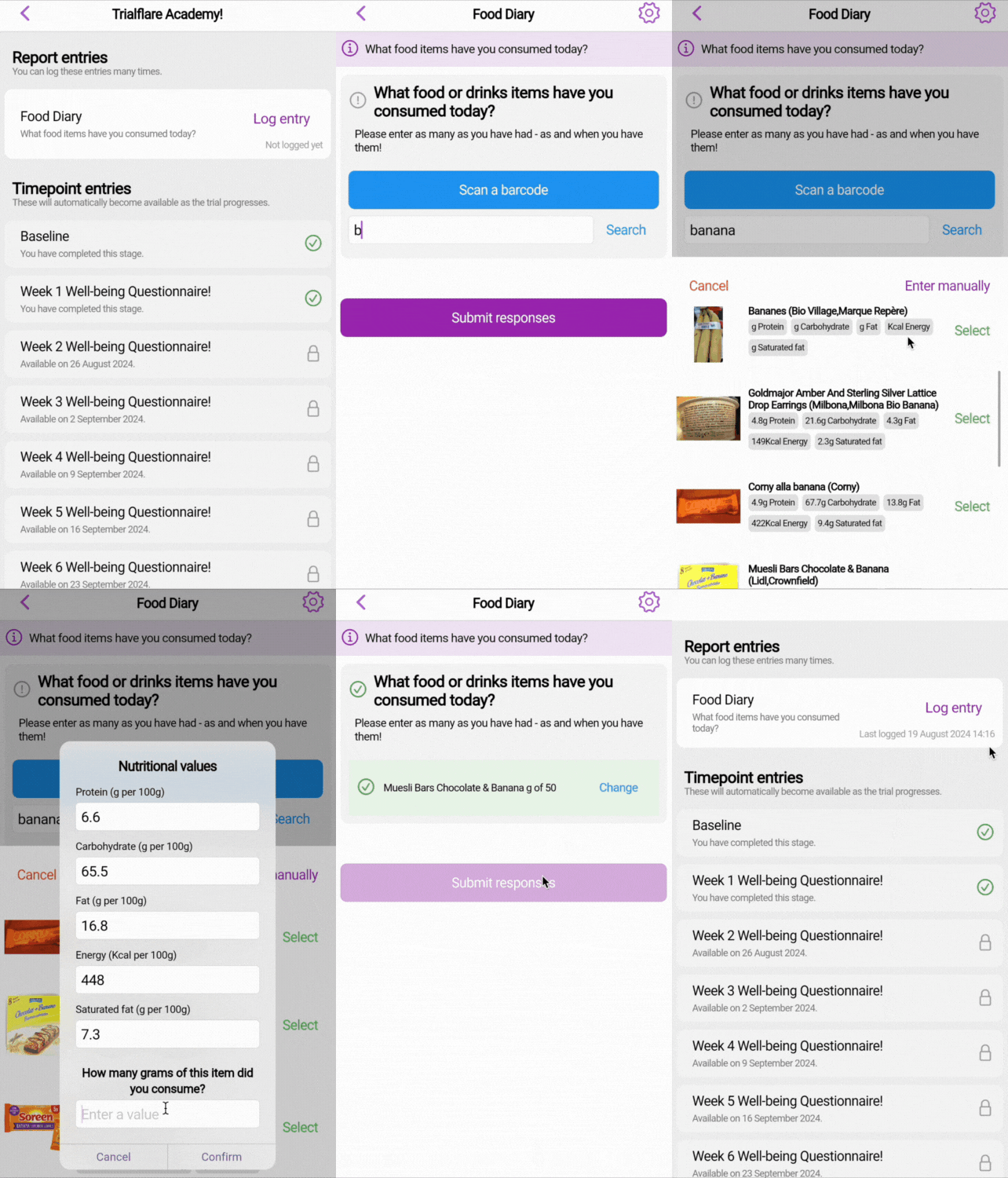
There may be times when you need to collect none or many submissions from participants. A good example of this is food diary items. Using the Open Food Facts database of more than 3,000,000 international food and drinks items, we are able to either scan a bar code from a smartphone camera or look up items in the database to add them. Using ad-hoc submissions, we are able to gather multiple food and drinks items consumed by participants. This is just one example of an "ad-hoc" stage - others could include image uploads or even bowel movement assessment throughout the days and weeks.
👉🏻 Learn more about data submissions and how to see when people are submitting data.