Background
If you're not conducting a classical clinical study / trial - sometimes a study without a placebo or assigning 'arms' or 'intervention groups' your work might be considered "post-marketing research". In such cases, you might want to just collect some general consumer insights or information from poll respondees.
These are anonymised people who aren't necessarily tracked over time, for example, general consumers.
With Trialflare's polls capability, you can convert any stage into a poll.
Differences when using polls:
-
Anyone with a link or QR code can enter data
-
All participants are logged as "poll respondees" (no participant IDs)
-
You can create custom QR codes for various purposes.
-
You can add metadata to your forms
🧑🏻💻 Enabling poll mode on a stage
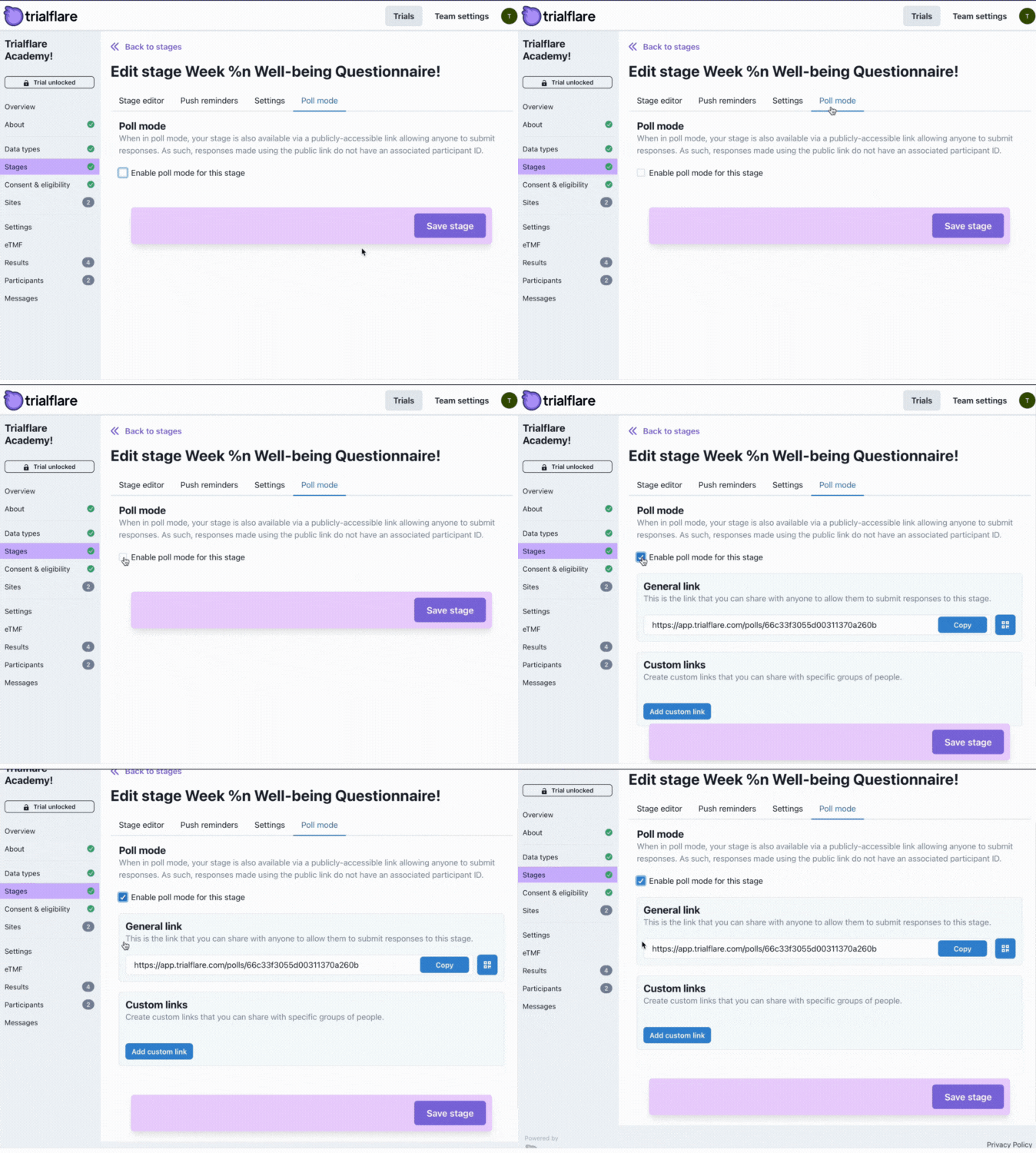
To make a stage a poll, go to the Poll mode tab and click the check-box, then, Save Stage.
🧑🏻💻 Getting a shareable link or custom QR code for your poll
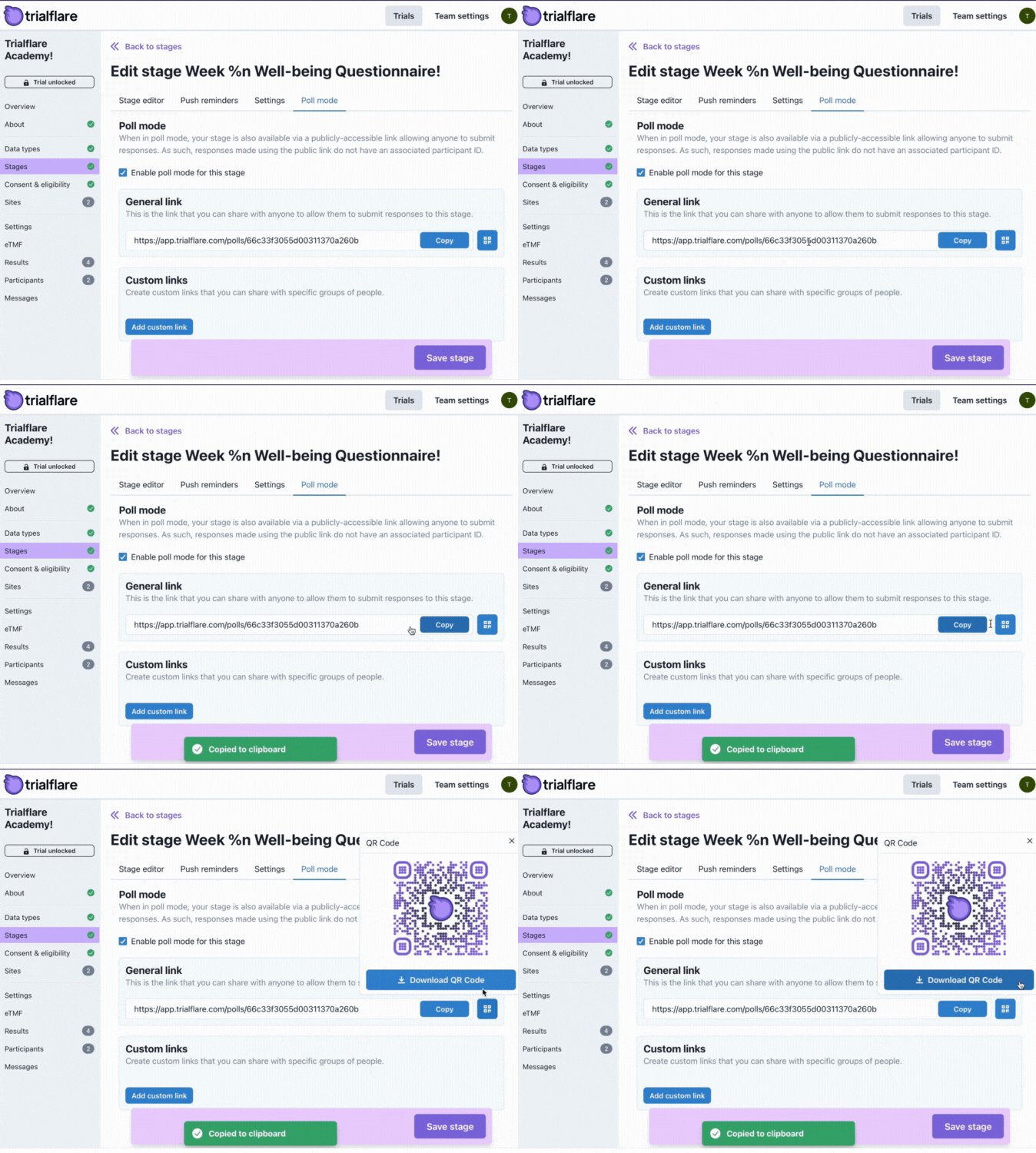
Trialflare generates both custom URLs and QR codes for your poll automatically. You can share these with poll respondees however you see fit. You can even add a custom-branded QR code to your product packaging or inserts for consumers to scan.
🧑🏻💻 Generate custom-branding or your QR codes
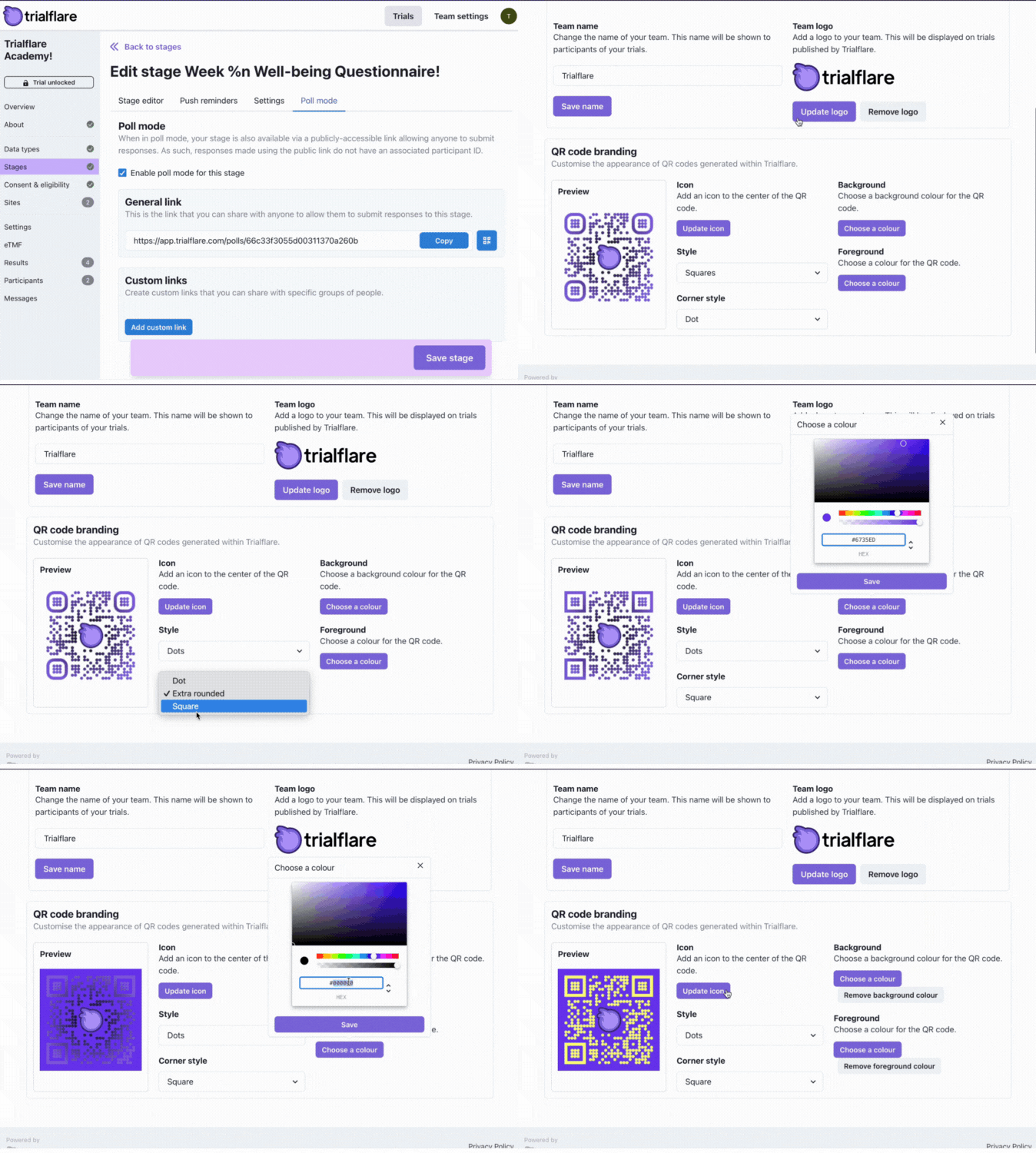
In the Team Settings, you will be able to assign custom styles to your QR codes. This includes colours or the dots themselves and the edges. You can even apply your own logo.
🧑🏻💻 Adding hidden metadata to QR codes for advanced screening
Let's say you are carrying out some consumer testing. You want to send your product out to multiple outlets or countries. They might even have batch numbers, variations in constituents and more.
With Trialflare custom links you can add these attributes to your QR code. "How is this useful?" - If you want to collect the same data from the same form, but there are hidden differences for consumers such as the batch number, you can use this attribute to capture this in forms automatically.
Let's say you want some "How did you find the product?" feedback from consumers across an item. One QR code/URL could go out with one batch, and another with another batch. All questions will be the same, but the only difference will be the batch number.
When you carry out your analysis, you will be able to compare batch performance in a real-life situation after the product has gone to consumers.
The benefit? Alterations (in this example) in batches might actually have affected a whole range of things: product colour over time, palatability, shelf-life etc.
These kinds of insights can feed directly to manufacturing teams, R&D and more as they are collected to help make sure your products are performing the best for your target consumers.
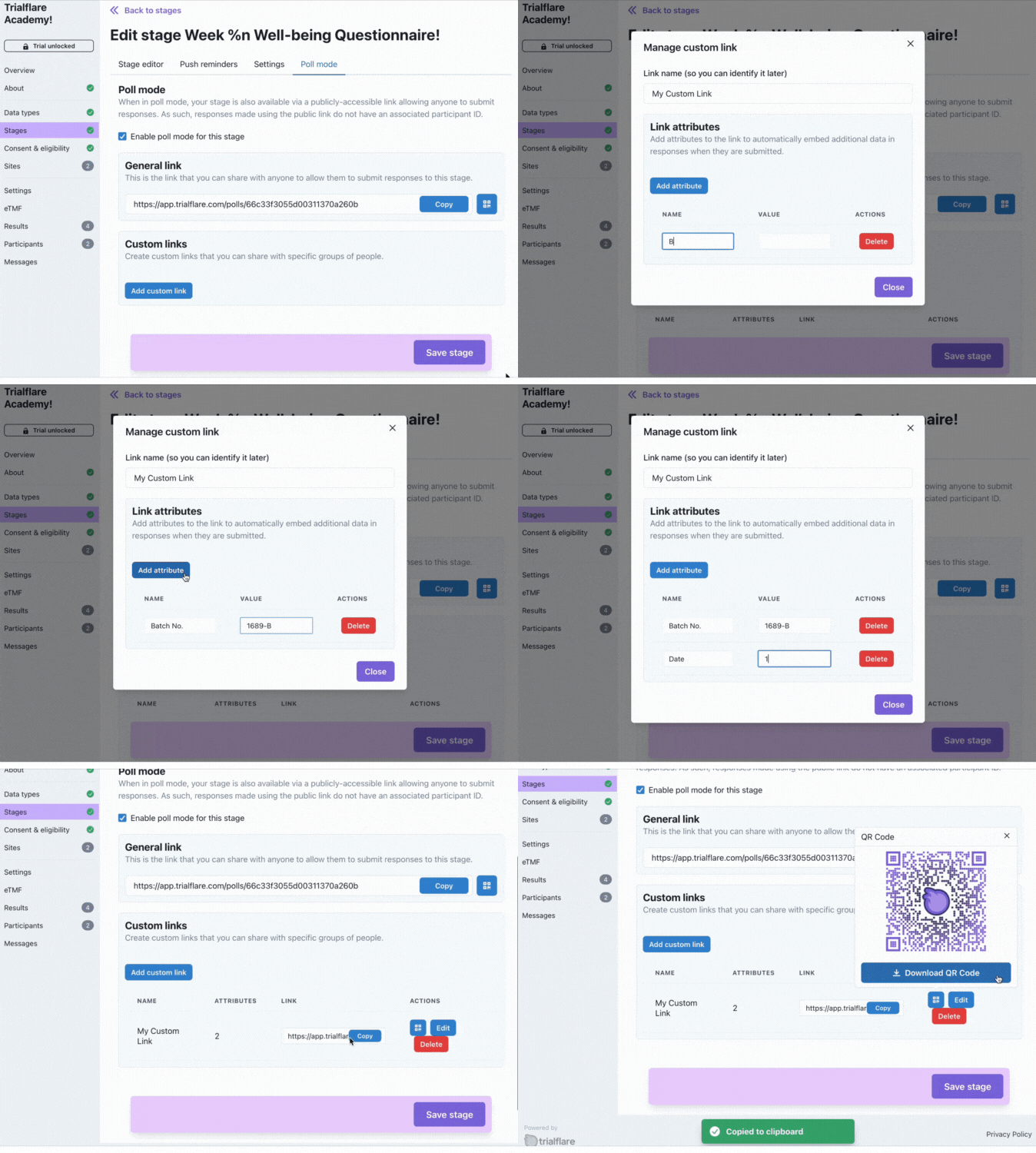
Once you've added some attributes, you can access the custom URL or QR code for this. Remember, the form will look the same for respondees, but responses for you will carry extra data from your custom attributes to differentiate
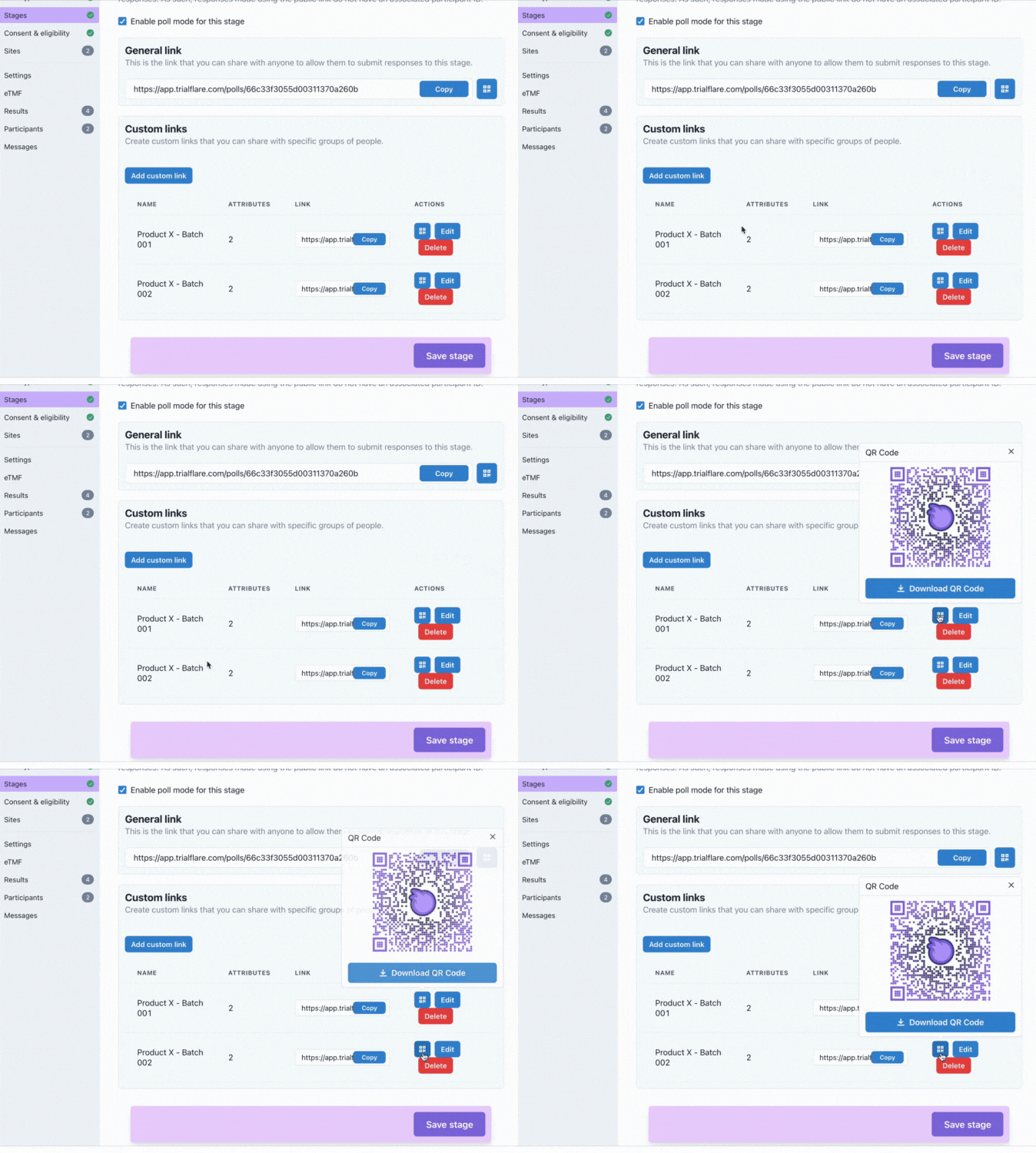
them from one another.