Background
If you're interested in collecting real-world data (RWD) from wearables, Trialflare has integrations with Garmin devices through our Garmin Partnership. With the partnership, you're able to collect ongoing metrics on sleep, stress, heart rate, respiration, activity, calories and more.
How Trialflare handles this is a little different to traditional forms and stages. Since wearables will be constantly transmitting data to the cloud, these will be fed to Trialflre sporadically as and when they are being pushed over the cloud.
🧑🏻💻 Enabling the Garmin Integration (admin-led)
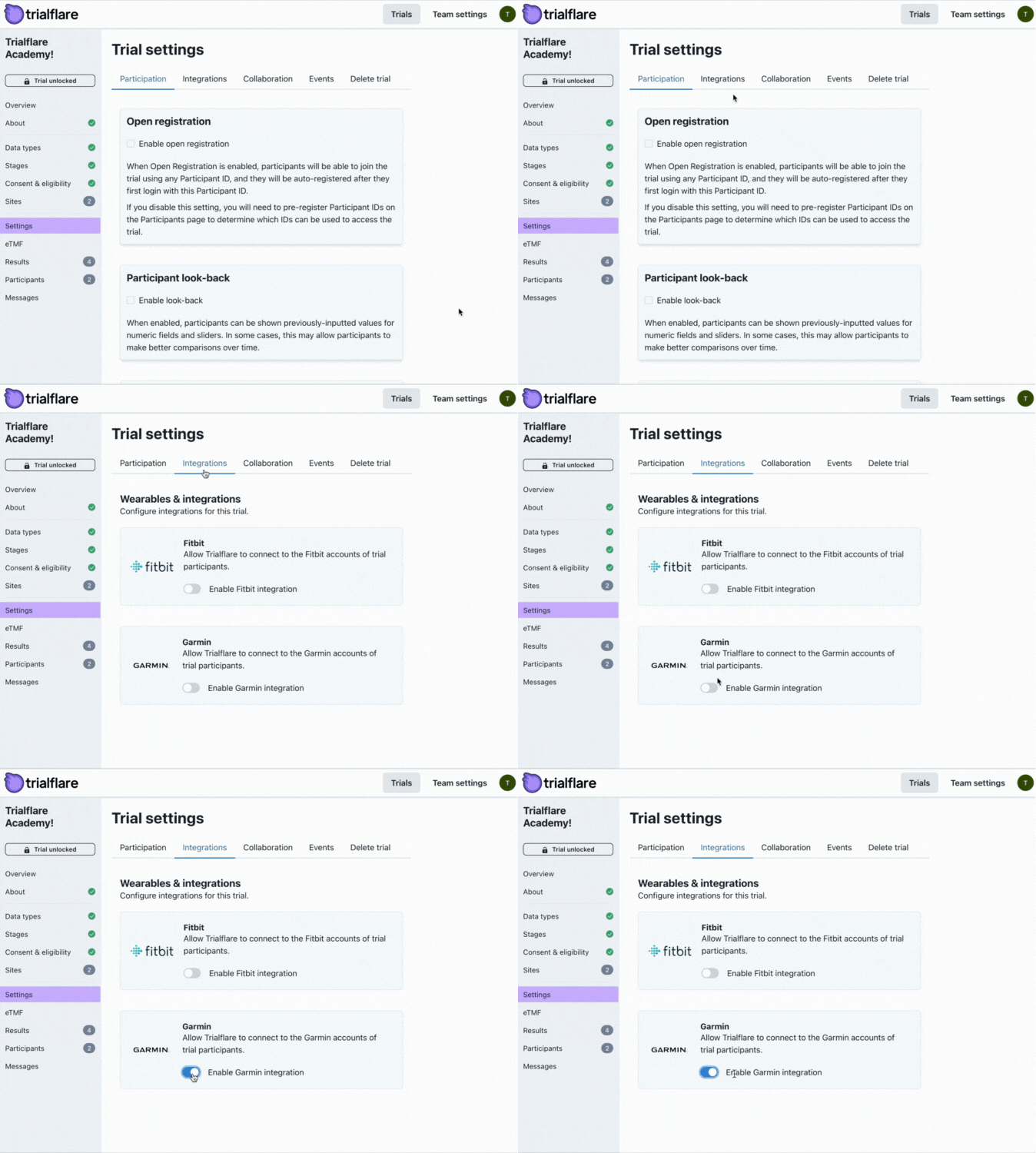
Under the Settings tab, click on Integrations and check the Garmin tickbox. What happens next? When participants log in to the Trialflare app (whether this is on web or smartphone), there will be an option to login to Garmin Connect. Participants will need:
-
An existing Garmin device (some study organisers can provision these, and Trialflare is able to potentially broker discounts on bulk-purchases if required).
-
A Garmin Connect account (tied to them, for example, through a personal email address). Garmin Connect accounts are free to create.
🧑🏻💻 Synchronising Garmin wearables (participants-led)
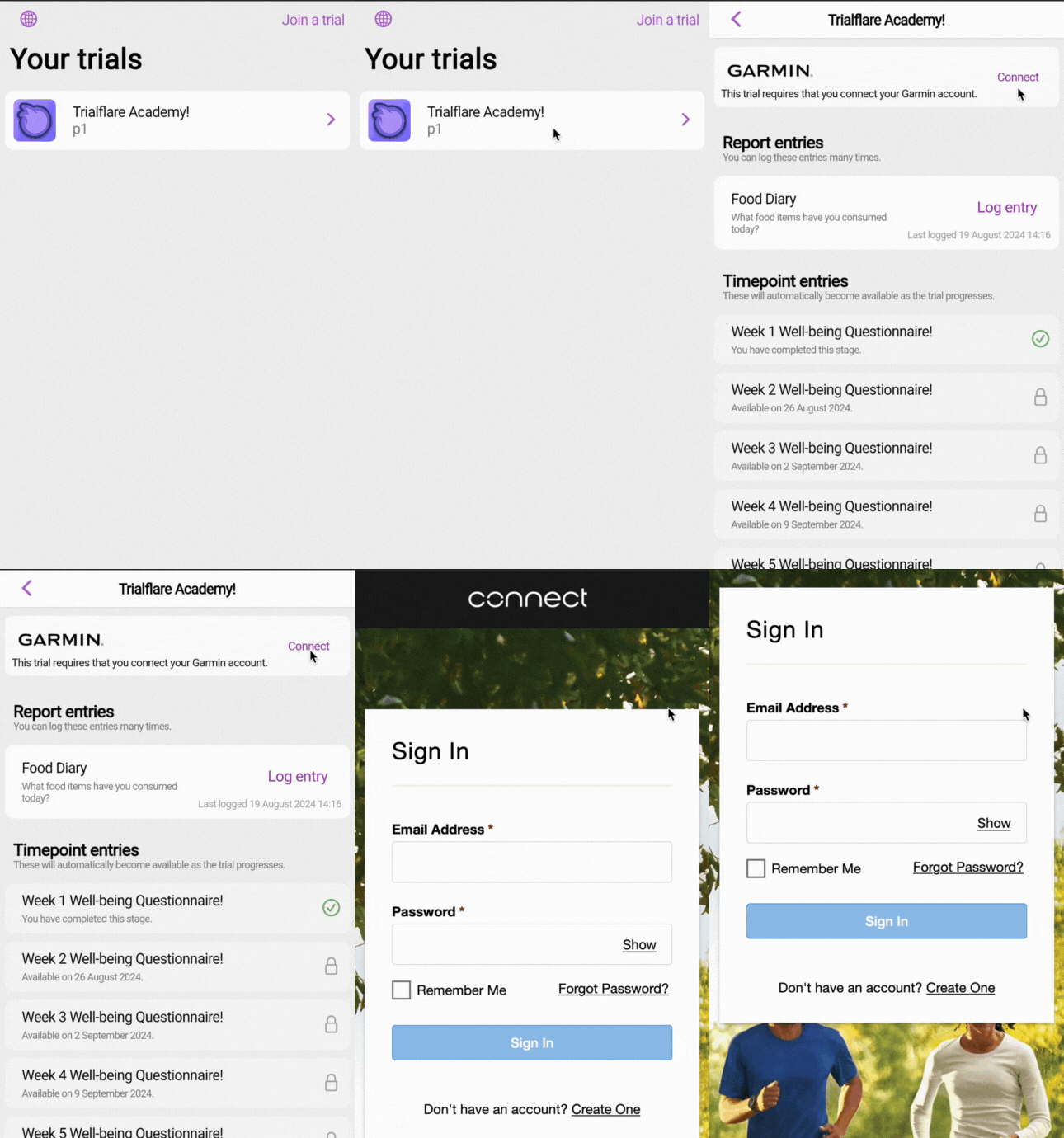
Once your Garmin integration is enabled in the study settings, your participants will see an option when they login to connect a Garmin Conencts account. The account needs to be tied to a device already. If participants are using their smart watch already, they will have already done this. To connect, the participant will need to click on the Connect button on the Trialflare web or smartphone app.
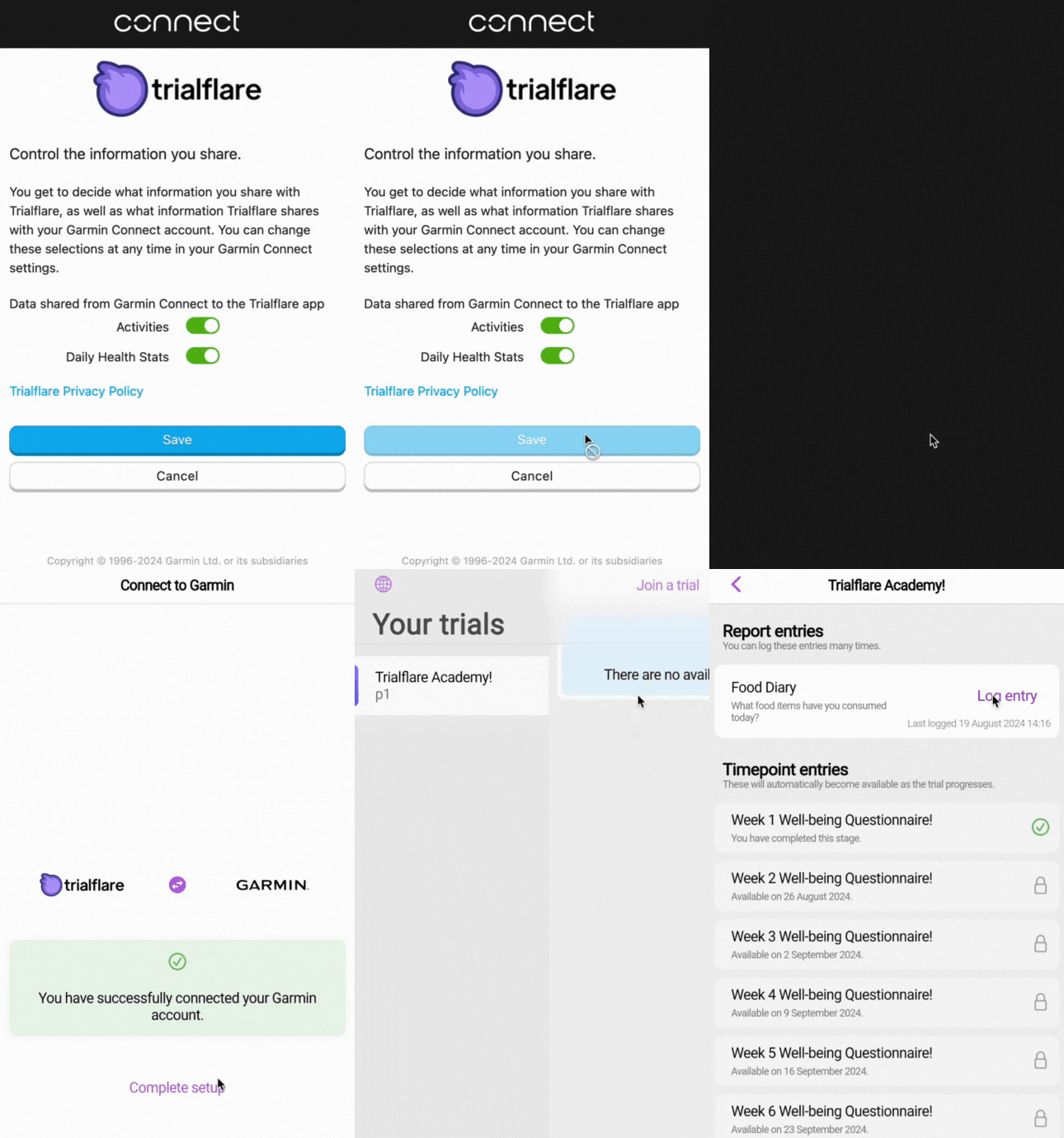
Once the participant has logged into their Garmin Connect account, they will be asked to agree to link this to Trialflare to collect data.
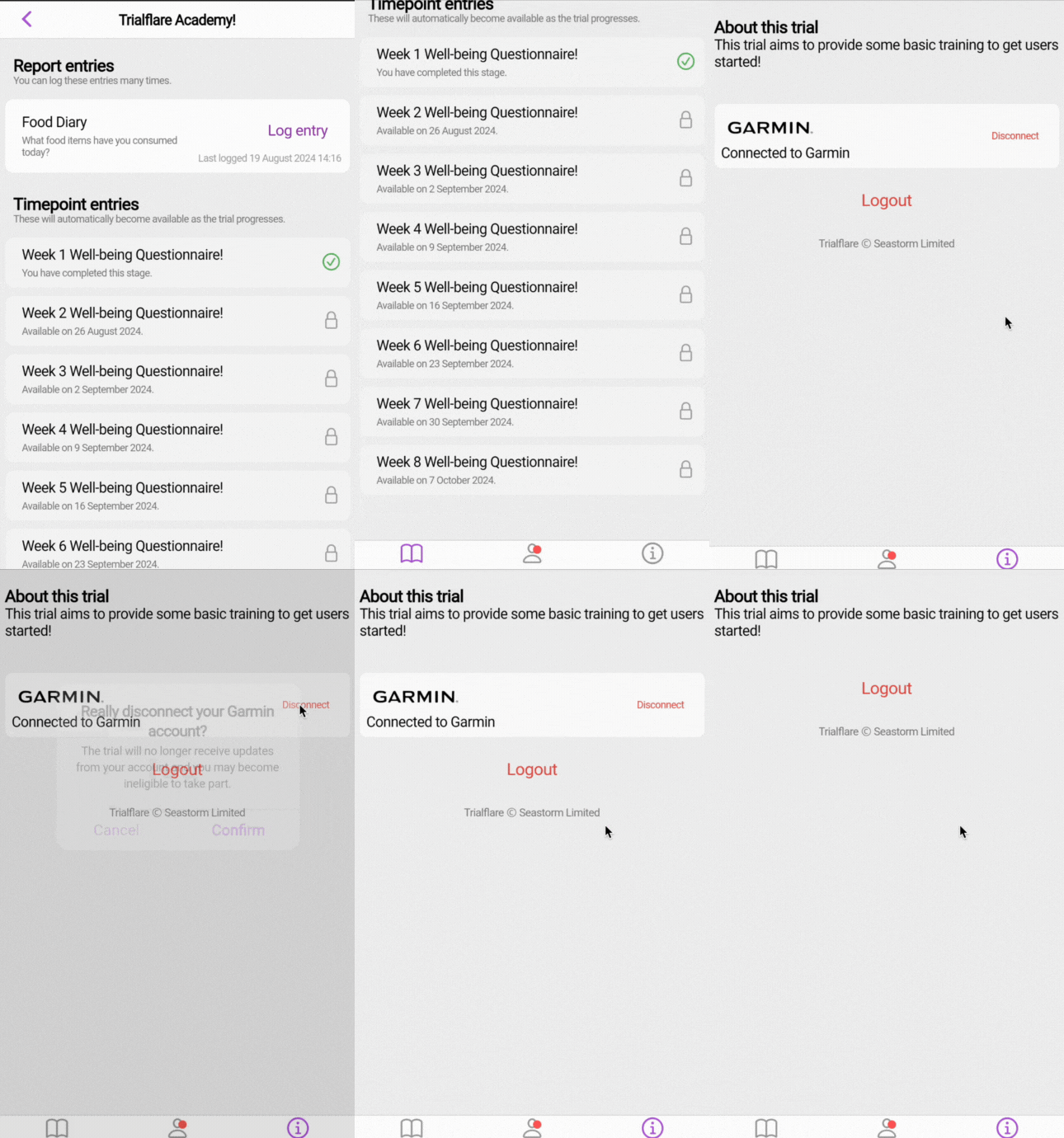
If the participant wishes to disconnect their account, they can also do this in the Trialflare app.
🧑🏻💻 Accessing wearables data on Trialflare
You'll want to confirm that your participants have connected their Garmin Connect account and are therefore able to send data to your study. Trialflare can show you this in the Participants tab where the blue box indicates that a Garmin account is connected. When you click into the Participant record you can see when this happened, too. All Garmin connections and disconnections are audit logged and can also be seen in the participant's Information tab.
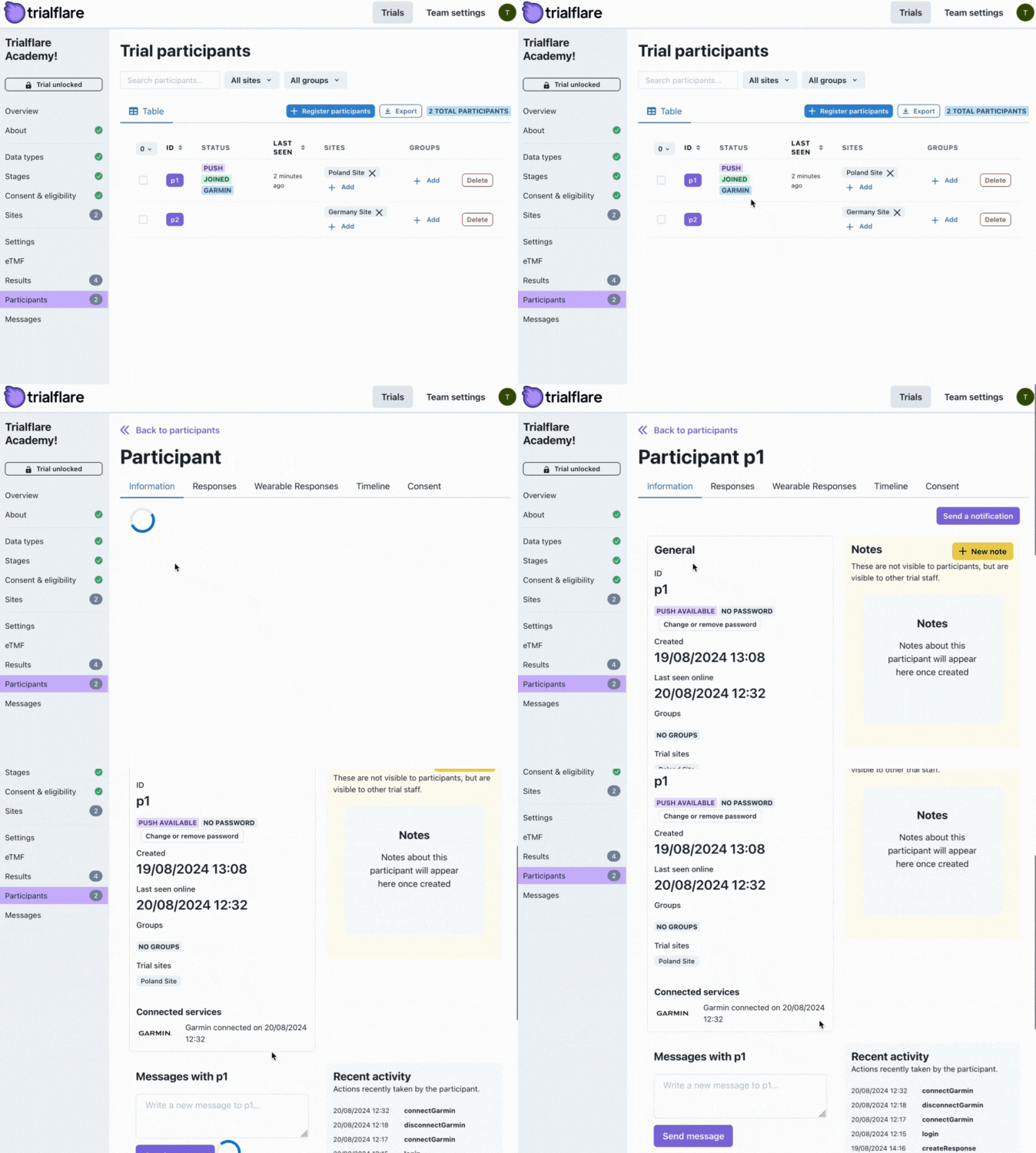
When you're in the participant's records, you can then click on the Wearables Responses tab. As data comes in, you'll see this compiled into tabs.
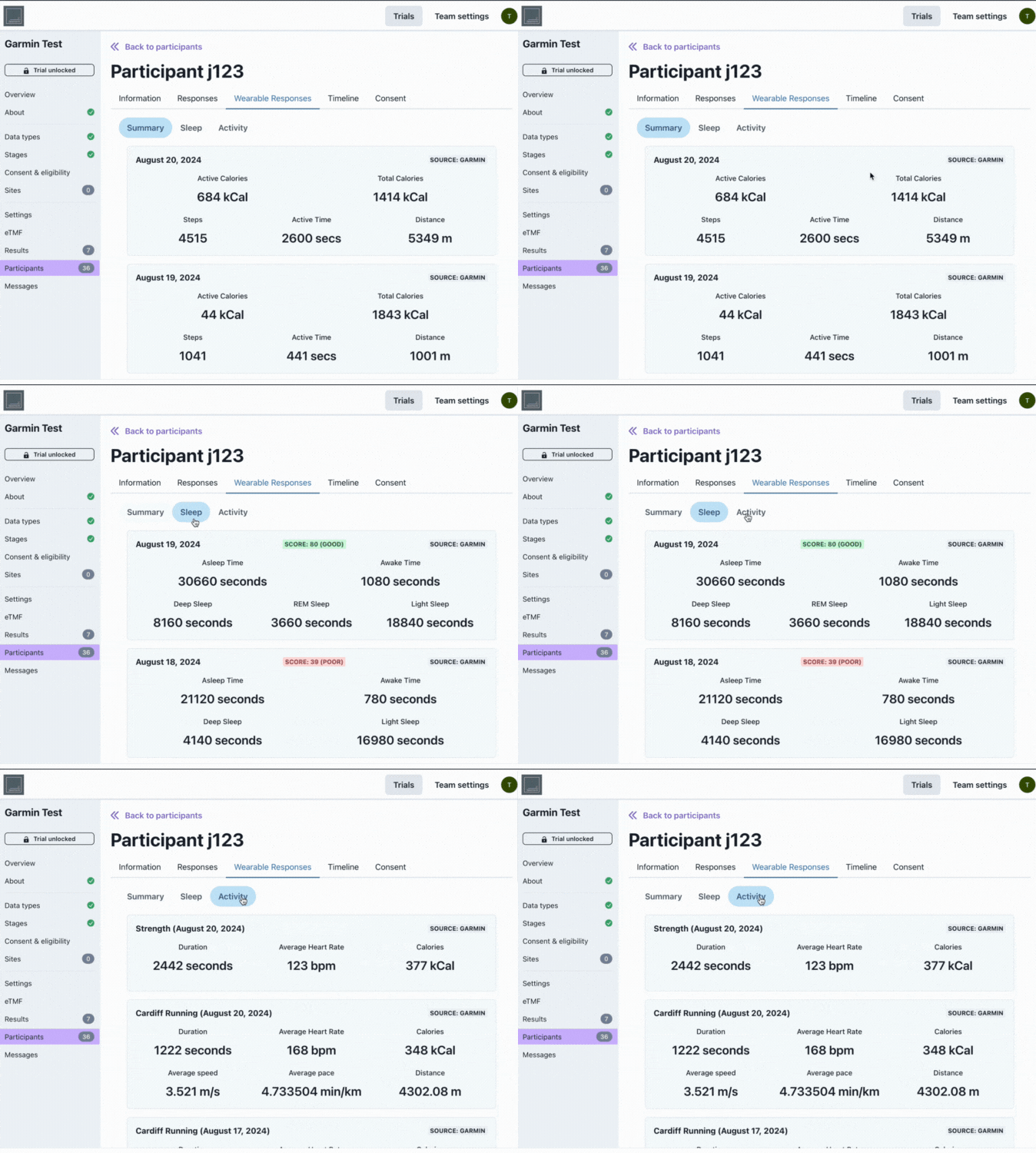
💡 IMPORTANT: Depending on the hardware / device, there will be limitations on what can be collected.
Full capabilities (as detailed by Garmin) include:
-
Steps
-
Intensity minutes
-
Sleep
-
Calories
-
Heart rate
-
Stress
-
Pulse Ox
-
Body battery
-
Body composition
-
Respiration
-
Blood pressure
-
Enhanced beat-to-beat interval
-
Running data
-
Cycling data
-
Swimming data
-
Yoga data
-
Strength training data
-
Activity details